
ERP Data Migration Checklist: Clean Data Through Cutover
 Asem Alkamel
11 min read
In this article
- Stage 1: Scope the data by type
- Stage 2: Assign owners and governance rules
- Stage 3: Cleanse the legacy data
- Stage 4: Map and transform
- Stage 5: Run mock migrations
- Stage 6: Execute a sequenced cutover
- Stage 7: Reconcile and sign off
- Mistakes that turn migration into a go-live crisis
- The condensed ERP data migration checklist
- Key takeaways
- Frequently asked questions
- What data should be migrated to a new ERP?
- How long does ERP data migration take?
- What is a mock migration?
- How do you reconcile data after migration?
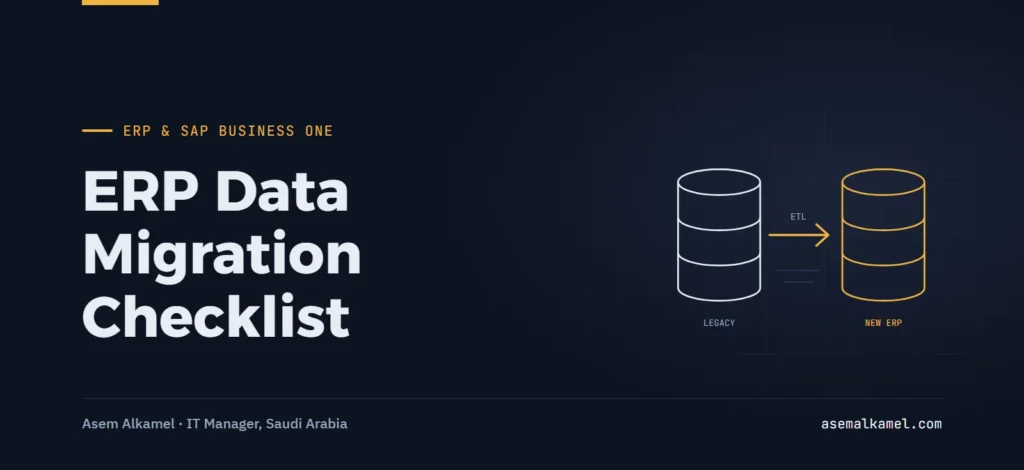
An ERP data migration checklist covers seven stages: scope the data by type, assign owners and rules, cleanse the legacy data, map and transform it, run mock migrations, execute a sequenced cutover, and reconcile with formal sign-off. Most go-live disasters trace back to skipping one of the middle three. This article gives the checklist with the controls I use at each stage.
I built the data governance framework for migrating several business units from their legacy systems into SAP Business One while directing the group’s SAP B1 lifecycle. Each unit had its own item codes, customer lists and chart of accounts, and each believed its data was clean. The framework assigned an owner to every data object, a rule to every critical field, and a reconciliation control to every load, with strict integrity checks during cutover. The checklist below is that framework, generalized so it works for any ERP.
Stage 1: Scope the data by type
Not all data migrates the same way, and treating it as one big export is the first mistake. Separate it into four types, each with a different approach:
| Data type | Examples | How it migrates | Typical decision |
|---|---|---|---|
| Master data | Items, business partners, chart of accounts, employees, bills of materials, price lists | Cleansed, mapped and loaded in full before go-live | Migrate active records only; archive the rest |
| Open transactions | Open sales orders, open purchase orders, unpaid invoices, open production orders | Loaded at cutover as open items, not as history | Close what can be closed in the legacy system first |
| Opening balances | GL balances, AR and AP by document, stock quantities and values by warehouse, fixed assets | Loaded once, on the cutover date, reconciled to the legacy trial balance | Load AR and AP at document level so aging works |
| Historical transactions | Past invoices, closed orders, old journals | Usually not migrated; kept in a read-only legacy copy or a reporting database | Migrate summaries only, if at all |
Checklist for this stage:
- List every data object in scope with its source system, approximate record count and target object in the new ERP.
- Decide the history policy in writing (for example: no transaction history, two years of summarized sales by item and customer for reporting).
- Agree the cutover date, since opening balances depend on it, and how legacy data stays accessible afterward.
Stage 2: Assign owners and governance rules
Data migration fails as a governance problem long before it fails as a technical one. The framework I used had three elements, and I recommend all three regardless of company size:
- One business owner per data object. The sales manager owns customers, the procurement lead owns suppliers, the plant manager owns items and bills of materials, the finance manager owns accounts and balances. IT coordinates; it does not own the content.
- Field-level rules for critical fields. Written, short and checkable: VAT registration number mandatory for every company customer; one unit of measure per item with conversion factors defined; every item assigned to an item group and a valuation method; no customer without a payment term and a credit limit.
- Sign-off per object per load. The owner signs a one-page reconciliation for each mock load and for the final load. No signature, no go-live.
Write the rules before cleansing starts; cleansing without rules means every department cleans to its own standard. Across multiple entities, decide early whether master data is shared (one customer code across units) or separate, because that changes the mapping of everything downstream.
Stage 3: Cleanse the legacy data
Cleansing is the business’s job, done in the legacy system or in controlled extracts, with IT providing tools and reports. The usual findings:
- Duplicates: the same customer under three spellings, the same item under two codes. Decision rule: one surviving record per real-world entity, chosen by the owner, with the other codes recorded in a cross-reference list for the mapping stage.
- Inactive records: customers with no transaction in two years, items never sold. Decision rule: do not migrate unless there is an open balance or an open document.
- Inconsistent units and codes: “KG”, “Kg”, “kilo”; item groups that mean different things in different units. Normalize to the new ERP’s lists.
- Missing mandatory fields: tax numbers, addresses, contact details, payment terms. The rule list from stage 2 defines what is mandatory.
- Wrong hierarchies: bills of materials with obsolete components, a chart of accounts with unused or misclassified accounts. Redesign rather than copy.
Track cleansing with a scorecard per object (records in scope, passing all rules, fixed this week, remaining) and report it weekly; it is the earliest reliable indicator of whether go-live is realistic.
Stage 4: Map and transform
Mapping is the document that connects each legacy field to its target field, with the transformation in between. Keep one mapping sheet per object, and treat it as a controlled document with versions. A row looks like this:
Object:        Business partner (customer)
Legacy field:  CUST_TYPE (values: A, B, C)
Target field:  Group code
Rule:          A -> Wholesale, B -> Retail, C -> Export
Default:       Retail if blank
Validation:    Target value must exist in the group list
Owner:         Sales manager
Practical points for this stage:
- Design the new coding structures first (item codes, customer codes, account numbers, cost centers). Do not reuse legacy codes by default; migrate meaning, not strings.
- Use the ERP’s standard import tooling where possible. SAP Business One, for example, ships a Data Transfer Workbench with a template per object; using the standard templates keeps the load repeatable and keeps the vendor accountable for the tool.
- Decide who runs the loads: the vendor usually executes, but the company owns the mapping and the validation. Put this in the contract and the requirements document.
- Keep a cross-reference table (legacy code to new code) for every object; you will need it for months after go-live.
Stage 5: Run mock migrations
A mock migration is a full load of all in-scope objects into a test company, in the same sequence and with the same tools as the real cutover, followed by reconciliation and user checks. Plan for at least two, and do not shorten the second one because the first one “mostly worked”.
- Mock 1: proves the mapping and the tools. Expect many rejects. Fix the rules, the data and the templates, not the symptoms.
- Mock 2: proves the timing and the reconciliation. Record how long each load takes; this determines whether the cutover fits a weekend. Users run their acceptance test scenarios on the migrated data, which is the only way to find mapping errors that load cleanly but mean the wrong thing.
- Mock 3 (if needed): a full dress rehearsal with the final cutover script, run by the people who will run the real one.
Exit rule for mocks: zero unexplained rejects, every reconciliation control matched, and every object owner signed. If Mock 2 fails that rule, the cutover date moves. It is far cheaper than moving it after go-live.
Stage 6: Execute a sequenced cutover
Cutover is a scripted sequence with named owners, timings and checkpoints. The integrity controls I enforced during cutover were simple: nothing is loaded without the previous step’s control matching, and nothing is posted in the legacy system after the freeze. The skeleton:
- Freeze announcement: communicate the last legacy posting date and time to every department, with what to do with transactions that arrive during the freeze (hold them on paper or in a controlled spreadsheet with a reference number).
- Close the legacy period: post all pending documents, run the final trial balance, stock valuation, AR and AP aging. Export and store them as the reference set.
- Load master data (already final from the last mock; reload only the delta changed since).
- Load opening stock by warehouse, batch and value; reconcile quantity and value to the legacy stock report.
- Load open AR and AP at document level; reconcile totals and aging buckets to the legacy reports.
- Load GL opening balances; reconcile to the legacy trial balance, with AR, AP and stock control accounts agreeing to their sub-ledgers.
- Load open orders and open production orders; owners check a sample against legacy documents.
- Enter the freeze-period transactions in the new system, in date order.
- Go/no-go checkpoint: every control matched, every sign-off received, legacy set to read-only.
Stage 7: Reconcile and sign off
Reconciliation is what turns “loaded without errors” into “correct”. Record counts are necessary but nowhere near sufficient; a load can have the right number of rows and the wrong values in all of them. The controls I require:
| Object | Control | Compared to | Signed by |
|---|---|---|---|
| Items | Count of active items; count by item group; count by valuation method | Cleansed legacy extract | Operations / plant manager |
| Business partners | Count by type; count with tax number; sum of credit limits | Cleansed legacy extract | Sales and procurement owners |
| Stock | Quantity and value per item per warehouse; total value per warehouse | Legacy stock valuation report at freeze | Warehouse and finance |
| AR / AP | Total per partner; aging bucket totals; control account total | Legacy aging at freeze | Finance manager |
| GL | Trial balance by account; sub-ledger control accounts equal sub-ledgers | Legacy trial balance at freeze | Finance manager / CFO |
The sign-off is one page per object: the controls, the two figures, the variance (ideally zero, otherwise explained and approved), the owner’s signature and the date. These files are the audit trail for the new system’s opening balances.
Mistakes that turn migration into a go-live crisis
- Migrating everything. Dead customers and obsolete items make the new system look like the old one and double the cleansing effort.
- Letting the vendor own cleansing. They do not know which of the three “Al-Rashid Trading” records is the real one. The business does.
- One mock load, or none. The first real view of mapping errors is then the go-live weekend.
- Loading AR and AP as totals. Collections and payments then cannot be matched to invoices, and aging reports are wrong from day one.
- No freeze discipline. A few “urgent” invoices posted in the legacy system after the extract are enough to break the trial balance reconciliation.
- Record counts as the only control. Counts prove rows arrived, not that values are right.
The condensed ERP data migration checklist
- Data inventory by object, type, source, count and target; history policy decided.
- Owner named per object; field-level rules written; sign-off template agreed.
- Cleansing scorecard per object, reported weekly; duplicates and inactive records resolved by rule.
- New coding structures designed; mapping sheet per object with transformations, defaults and validations; cross-reference tables kept.
- Standard import tooling and templates used; load responsibilities in the contract.
- At least two full mock migrations with timing recorded and user testing on migrated data.
- Cutover script with freeze communication, legacy close, load sequence, controls after each step and a go/no-go checkpoint.
- Reconciliation controls per object against legacy reports at freeze; signed sign-off sheets archived.
- Legacy system kept read-only after go-live.
Key takeaways
- Scope data by type: master, open transactions, opening balances, history. Each migrates differently.
- Governance before tooling: one owner per object, written field rules, signed reconciliations.
- Cleanse by rule, migrate active records only, and design new codes rather than copying old ones.
- Two mock migrations minimum, with user testing on the migrated data and recorded timings.
- Cutover is a script with controls after every load; nothing proceeds on an unmatched control.
- Reconcile values, not just counts, against legacy reports frozen at cutover.
Frequently asked questions
What data should be migrated to a new ERP?
Active master data (items, customers, suppliers, accounts, employees, bills of materials), open transactions (unpaid invoices, open orders, open production orders) and opening balances (GL, stock, AR and AP at document level, fixed assets). Historical transactions are usually kept in a read-only legacy copy rather than migrated, with summaries loaded only if reporting needs them.
How long does ERP data migration take?
Cleansing typically runs in parallel with the whole implementation, often several months, because it depends on business owners’ time. The technical loads themselves take hours to a few days per mock. The reliable way to estimate the cutover is to time the second mock migration end to end and add a margin for reconciliation and fixes.
What is a mock migration?
A mock migration is a complete rehearsal: all in-scope data is extracted, transformed and loaded into a test company using the real tools and sequence, then reconciled and checked by users. It exposes mapping errors, rejected records and timing problems before the real cutover. At least two mocks are recommended, the last one on near-final data.
How do you reconcile data after migration?
Compare the new system to legacy reports frozen at cutover: trial balance by account, AR and AP totals and aging by partner, stock quantity and value by item and warehouse, counts of active master records by category. Sub-ledger control accounts must equal their sub-ledgers. Each object owner signs a reconciliation sheet showing both figures and any explained variance.
Data migration is the part of an ERP project where the company’s own effort decides the outcome. If you want the governance framework, mapping and reconciliation controls set up from the client side, that is part of my ERP implementation service, and it fits into the full client-side ERP implementation guide. You are welcome to get in touch to discuss your migration plan.